Since early access opened, your KryllOS strategies have never made it past the backtest. For months, we built KryllOS around that one tool. Now things get serious.
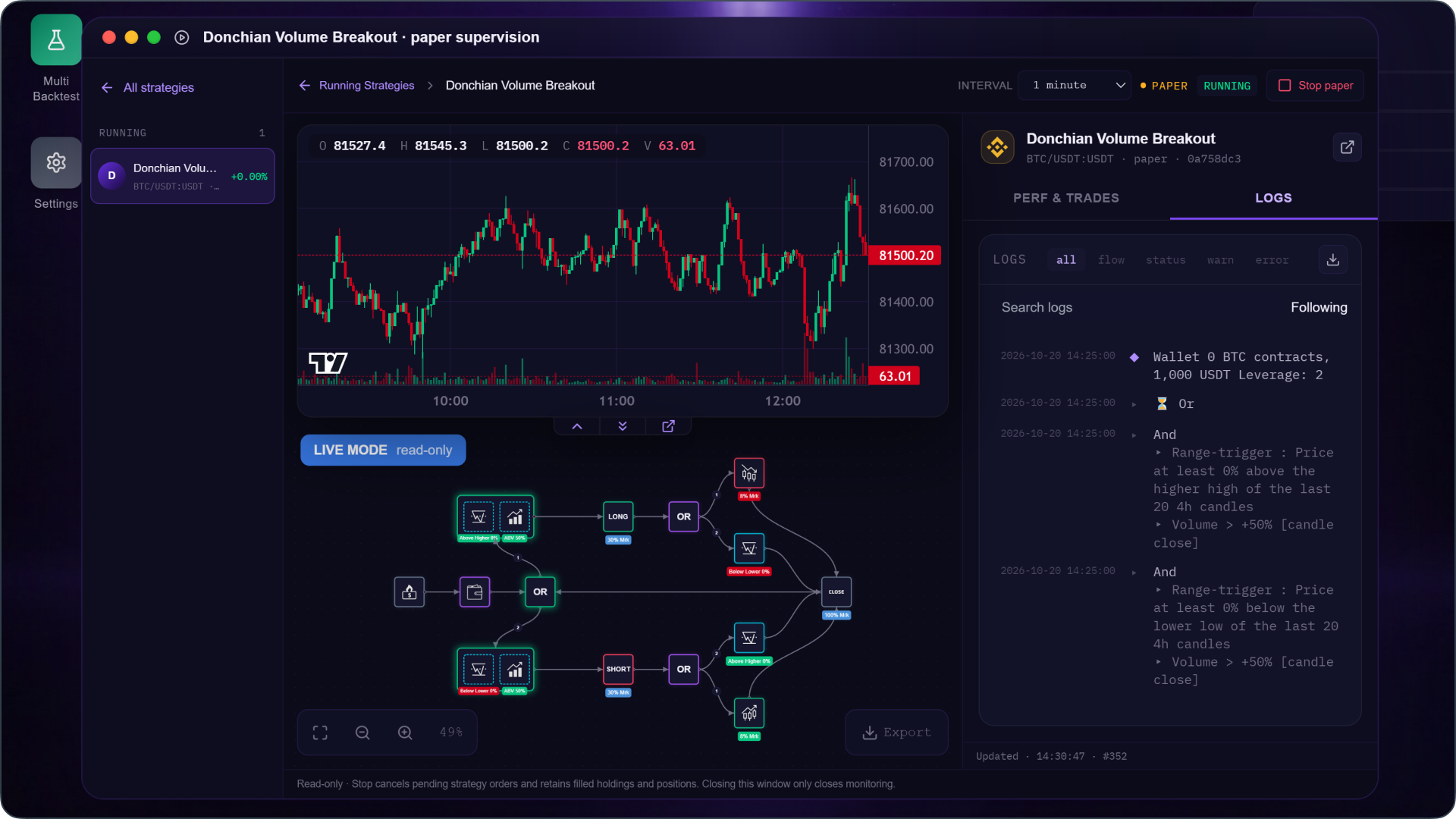
With 0.6.1, your strategies move on to the next stage: Paper Trading. You give them virtual capital, and they trade the live market around the clock, from your own server. In the Running Strategies app, you watch them make decisions candle by candle, without knowing what the market will do next.
A backtest is an exam you've already seen
When you backtest, you tune your strategy while looking at the very candles you'll later judge it on. Eventually, it knows the answers. Quantopian measured this across 888 algorithms written by its community: a strategy's backtest Sharpe ratio said almost nothing about how it would perform next, on data it had never seen.
Paper Trading makes your strategy take the real exam. It sees each candle at the same time you do, and its orders fill at the price the market is actually offering at that moment. If it holds up for a few weeks under those conditions, that tells you more than a tenth backtest ever could. If it falls apart, finding out cost you nothing.
Test several ideas at once
When you launch a strategy, KryllOS takes a snapshot of it. You can go back to the editor, try a tighter stop or a different indicator, and launch that variant alongside the original. Both face the same market at the same time, and you can see which one holds up better. A strategy an AI built for you, or an idea you spotted on X, can go through the same test before you put real money on it.
It works for spot and futures alike, leverage included, with the Long, Short and Close blocks that arrived in KryllOS 0.5.45. For futures, funding fees and liquidations aren't simulated, so keep that in mind if you raise the leverage.
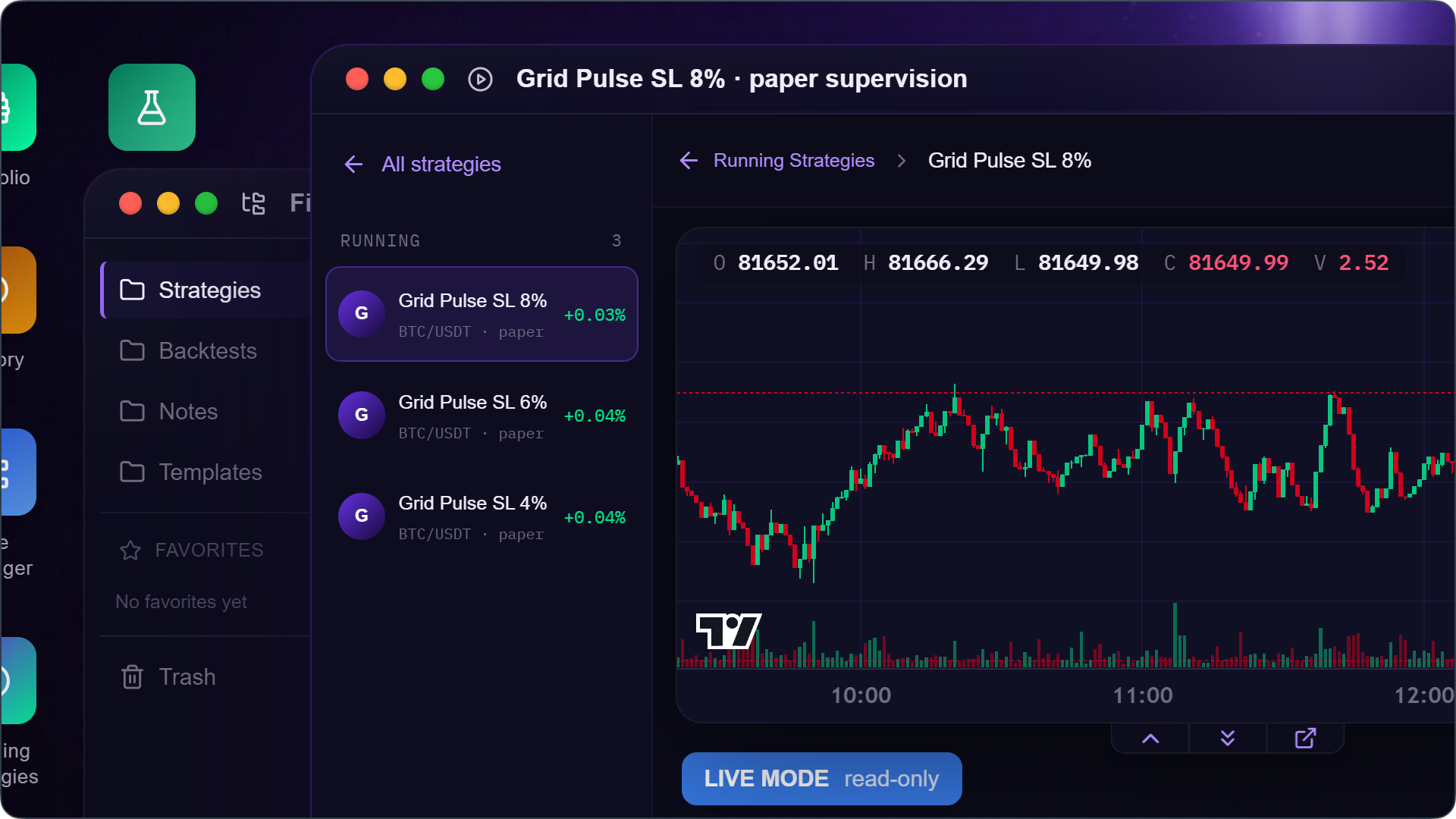
All of this runs on your own server, 24/7. If you host KryllOS on a VPS, you can turn off your computer: your strategies keep running, and their history never leaves your server. On other platforms, paper trading often requires a subscription. On KryllOS, it's free.
How to start paper trading your strategies
First, update KryllOS to 0.6.1. Then pick whichever of these three is handiest:
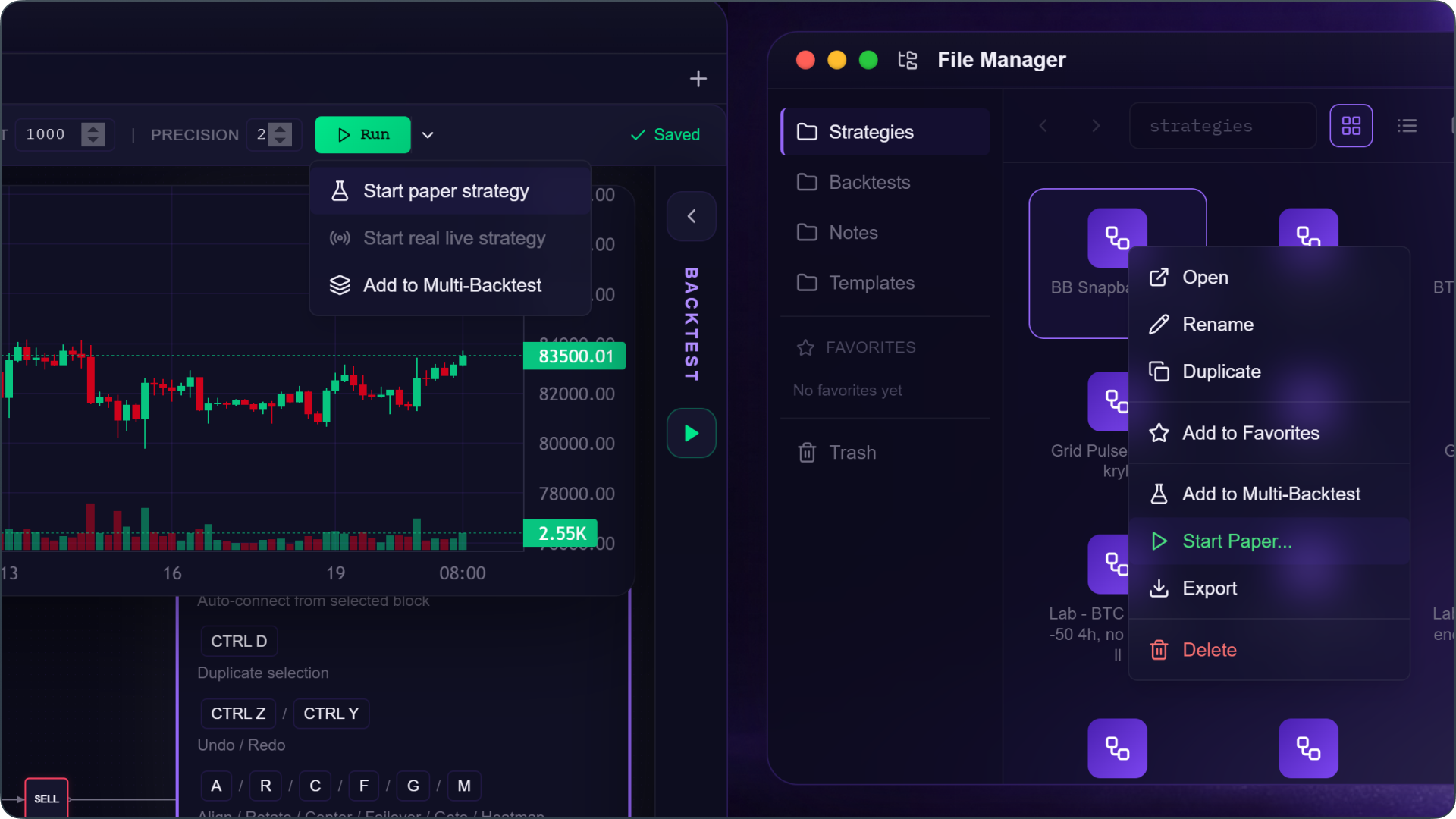
- From the Strategy Editor: open your strategy, click the arrow next to the Run button, and choose Start paper strategy.
- From the File Manager: right-click a strategy file and choose Start Paper…, without even opening it.
- From Telegram: if you've connected the KryllOS bot (in Settings, under Telegram), type
/runand follow the steps. You pick the strategy, Paper mode, the pair and your starting capital.
From the editor or the File Manager, a dialog picks up the pair, exchange and leverage from your backtest settings. Enter your virtual capital, in USDT and optionally in the pair's base coin, then click Start paper. Your strategy shows up in Running Strategies right away.
The last step before live trading
Paper Trading leads straight to live trading, the next big step for KryllOS. We'll share more when it's ready. Until then, every strategy you leave running in Paper Trading tells you whether it deserves your capital.
To celebrate, we're setting up an arena. Soon, a few bots with questionable instincts will start paper trading: one only trades during business hours, another follows the phases of the moon. Nobody on our team would bet a dime on them. You'll be able to follow every decision they make, block by block, on our X account, and that's kind of the point :)
Also in 0.6.1
- Monitor your Paper Trading strategies from the KryllOS Telegram bot, which alerts you on every order
- Receive real emails from the Email block while a strategy runs, sent through your Brevo account
- Charts and indicators load faster when you open a new pair
- Open a support ticket without leaving the app, using "Report a problem" in the gear menu
Thanks to everyone who has been testing KryllOS since early access opened. Release after release, your feedback has made it better, and you're a big part of why Paper Trading is here today!