Self-hosting has a beautiful promise: your keys, your data, your rules. And it comes with a very real price. You need to configure a VPS, properly set up an SSH tunnel, navigate Linux command lines, and make a series of configuration decisions without making mistakes, all while carrying the nagging anxiety of breaking something along the way. This is often where the promise meets reality.
When preparing the reboot of Kryll, we asked the community directly. 58% said they were ready to self-host their instance, provided they had guidance. In other words, for nearly six out of ten people, the installation process was not just a technical step.
The KryllOS installer was designed exactly for these people. Three steps. Five minutes. A fully operational instance, already secured.
Why an installation wizard for a self-hosted trading bot?
KryllOS is deliberately self-hosted. Your API keys stay on your machine, your trading data never leaves to any third-party cloud, and nobody holds custody of your funds. It's a choice of total sovereignty, but it's also a choice that traditionally requires users to have some technical knowledge.
We refuse that compromise. The idea behind KryllOS is the power of a professional tool with the simplicity of a consumer app. The installation wizard embodies exactly this philosophy: it automates what an experienced sysadmin would do by hand, and it does it better than a copy-pasted tutorial, because it bakes in security best practices by default.
Concretely, the KryllOS installer handles three tasks for you:
- SSH connection to your VPS (no more juggling your terminal and private key)
- Security hardening, with the creation of a dedicated Linux user, firewall configuration, and remote connection rules, plus, optionally, port-knocking
- Deployment of KryllOS on your VPS and configuration of the KryllOS app on your computer
You click three times, wait five minutes, and you trade.
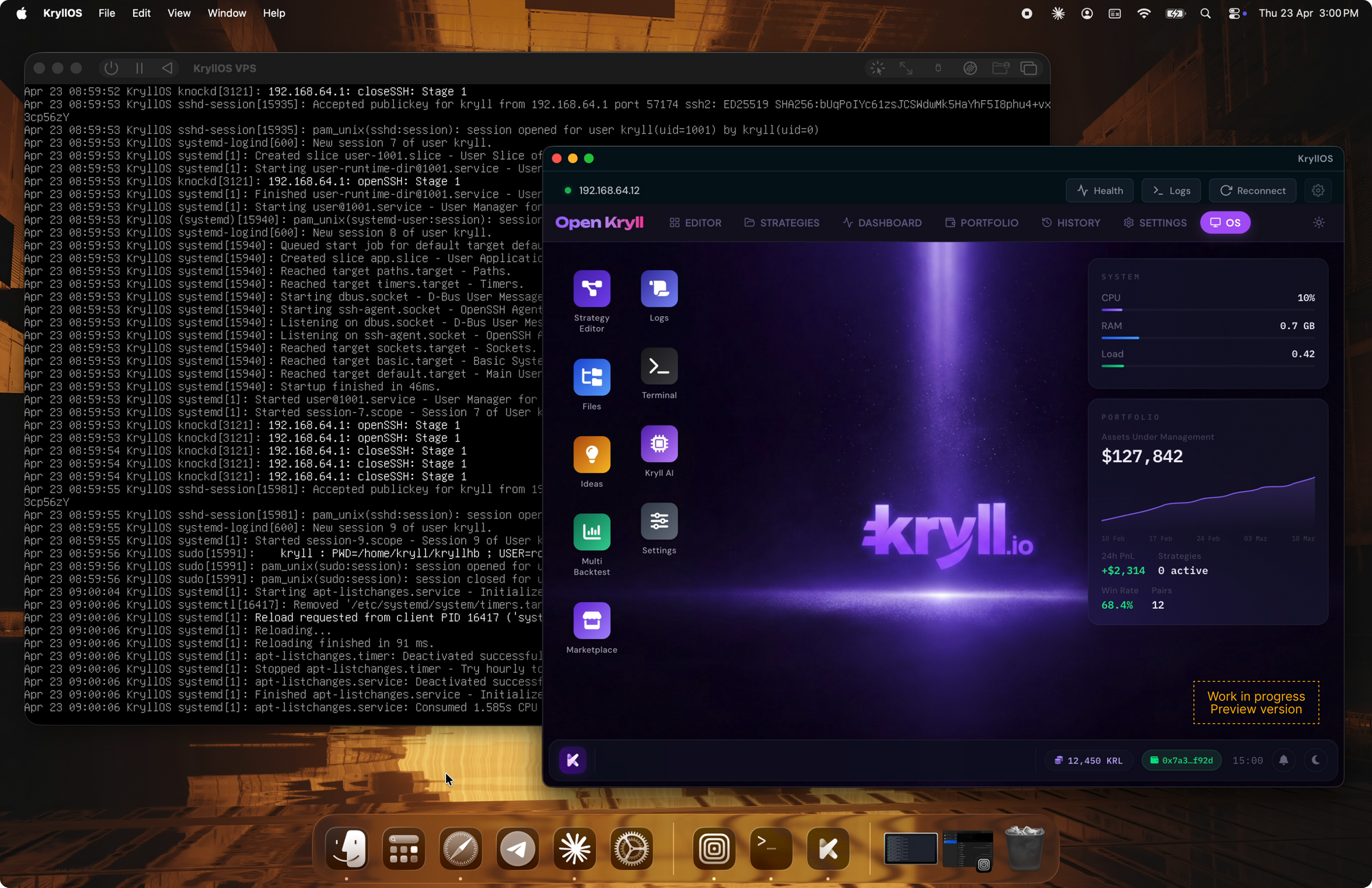
The 3 steps of the KryllOS wizard
Step 1: Connect your VPS to KryllOS
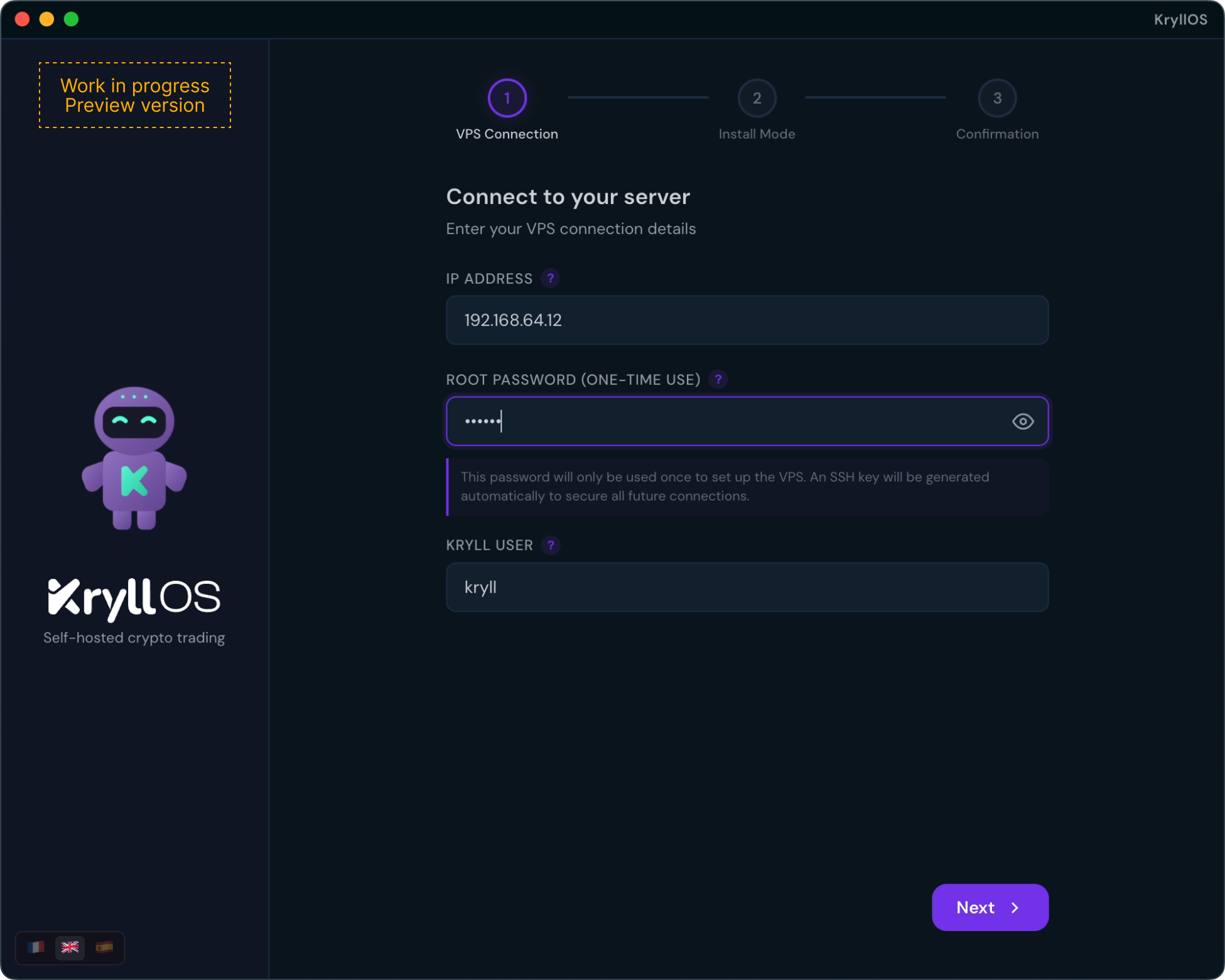
On the first screen, the wizard asks for three pieces of information:
- Your VPS IP address
- The root password for that VPS
- A username to create for KryllOS
The choice to create a dedicated user, rather than running KryllOS with root privileges, is not a minor detail. It's the principle of least privilege: even in the unlikely scenario where a vulnerability were to affect the application, the attacker would find themselves confined to an account with limited rights, far from the absolute power that root provides.
Step 2: Choose your installation mode: Native or Docker
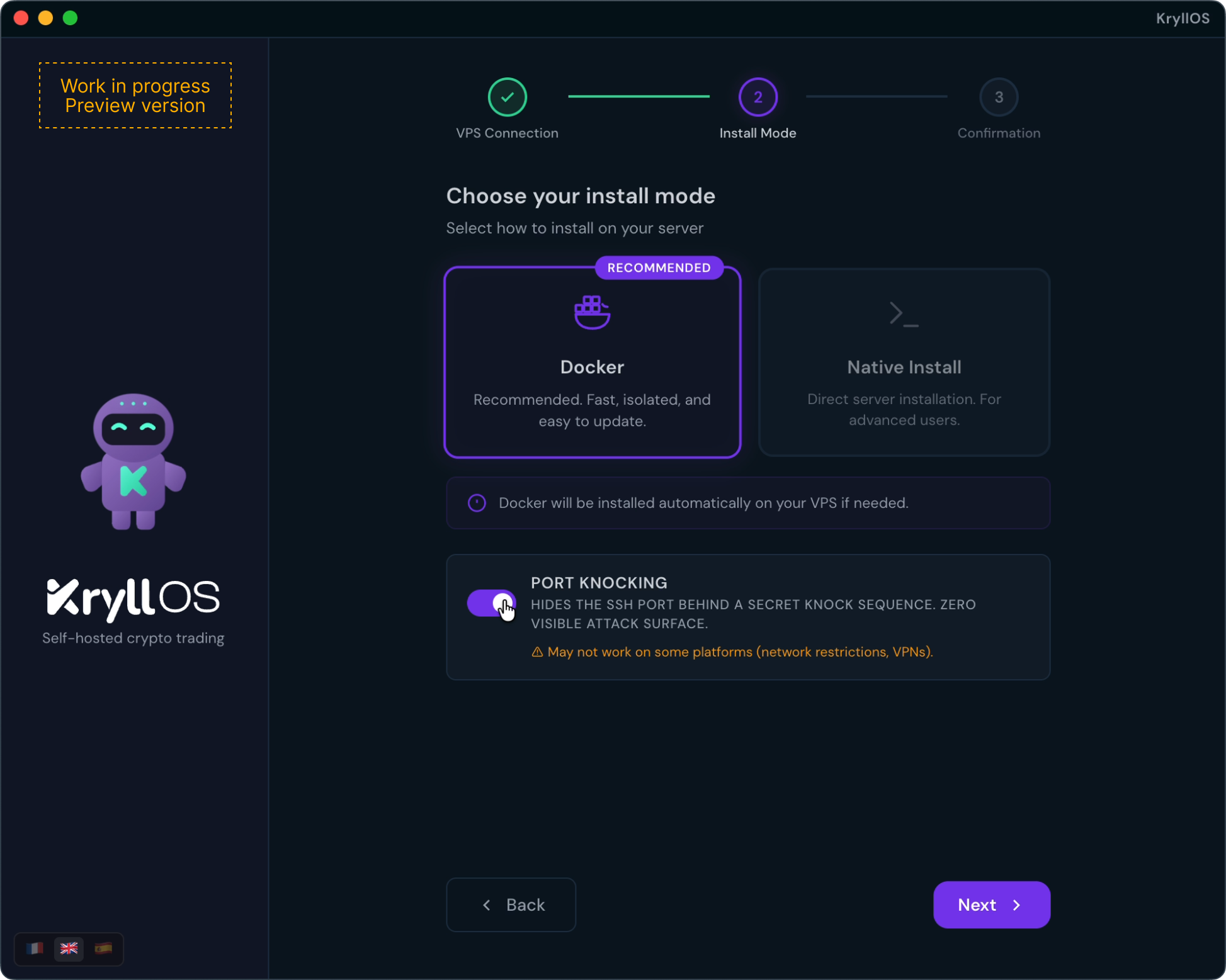
The KryllOS installer offers two installation options:
- Native installation: if your VPS is dedicated to KryllOS, this is the simplest and most direct choice. KryllOS installs directly on the system, without any additional layer.
- Dockerized installation: this is the option for advanced users who already have an active VPS running other services. Think of Docker as a sealed box sitting on your server. KryllOS runs inside it, completely isolated from the rest of the system. No conflicts with your other software, no interference in either direction.
On this same screen, you'll find a checkbox that may look minor but is worth its weight in gold: port-knocking.
Port-knocking, or the art of making your server invisible
Port-knocking is a somewhat forgotten but diabolically effective security mechanism. It makes your server completely invisible, no ports are open. To an automated scanner looking for vulnerable VPS machines, your server simply doesn't exist.
But how does it actually work?
Picture a secret door in a wall that, on the surface, has no visible entrance. For the door to open, you must knock in a precise sequence: three times, then twice, then five times. Anyone who doesn't know the code sees nothing but a smooth wall.
Port-knocking works on exactly this principle. A server has thousands of "doors" called ports, and connections pass through these ports. Normally, certain ports remain permanently open, like the SSH port, which enables remote connections. These open ports are precisely what hackers and their bots scan relentlessly, looking for a vulnerability.
With port-knocking, no port is open by default. Instead, the server quietly listens for connection attempts on a specific sequence of ports, say, 1200, then 3456, then 7890, in the right order and within a limited timeframe. This sequence is the "secret knock." If you know it and send it correctly, the server dynamically opens the SSH port, just long enough for your connection, then closes it immediately. To everyone else, the door never existed.
How can a hacker compromise a machine that doesn't even appear to exist from their perspective? That's exactly the point. KryllOS already stacks several security layers, dedicated user, Docker isolation, hardened SSH, and port-knocking adds the final touch: an invisibility layer. One checkbox, and your VPS disappears from the map.
Step 3: Summary and deployment
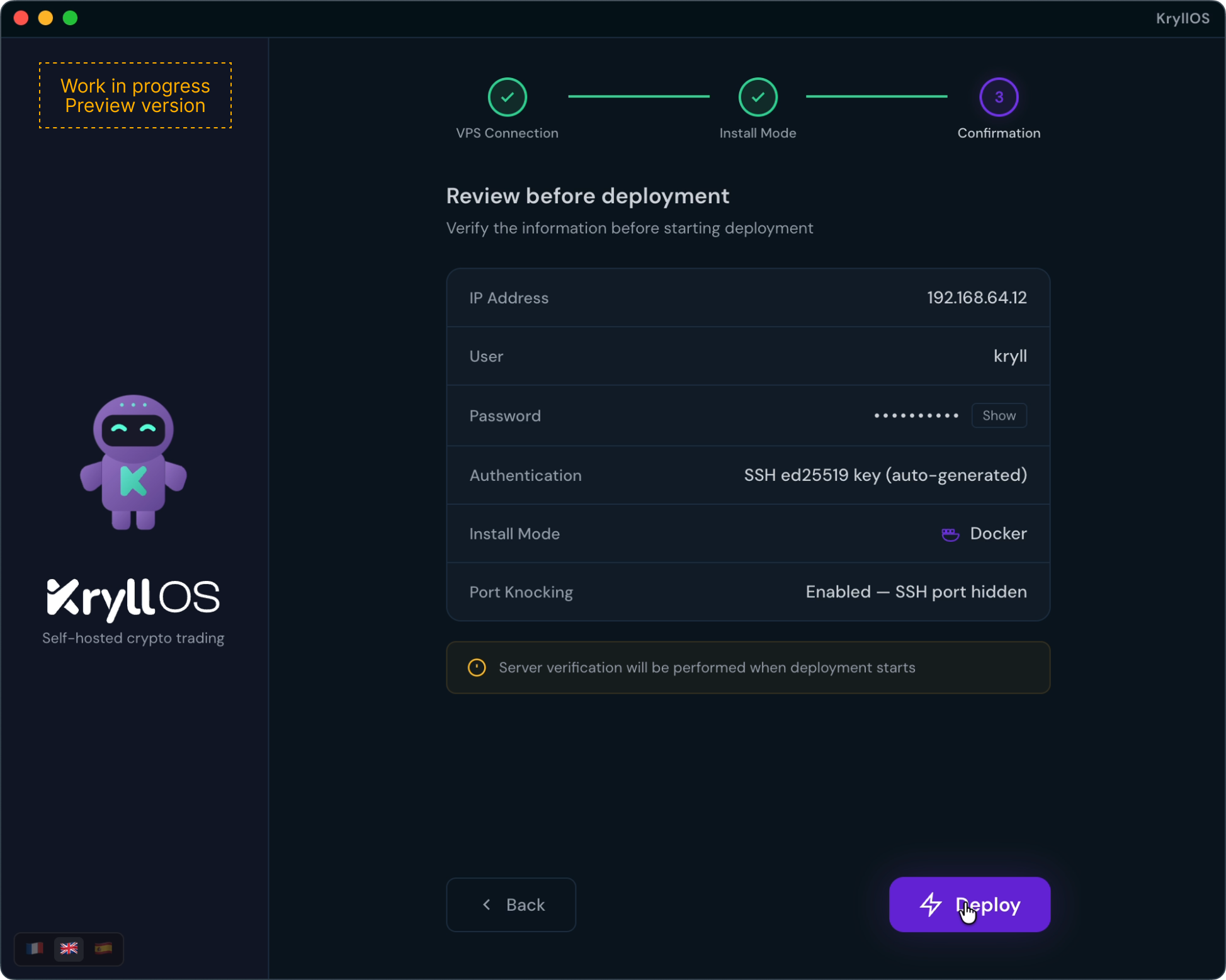
The final screen summarizes all the choices you've made. You review them, click deploy, and the installer takes over.
Behind the scenes, it runs through a precise sequence:
- Secure connection to the VPS
- System compatibility check
- Environment configuration
- KryllOS installation
- Final checks to ensure everything is running correctly
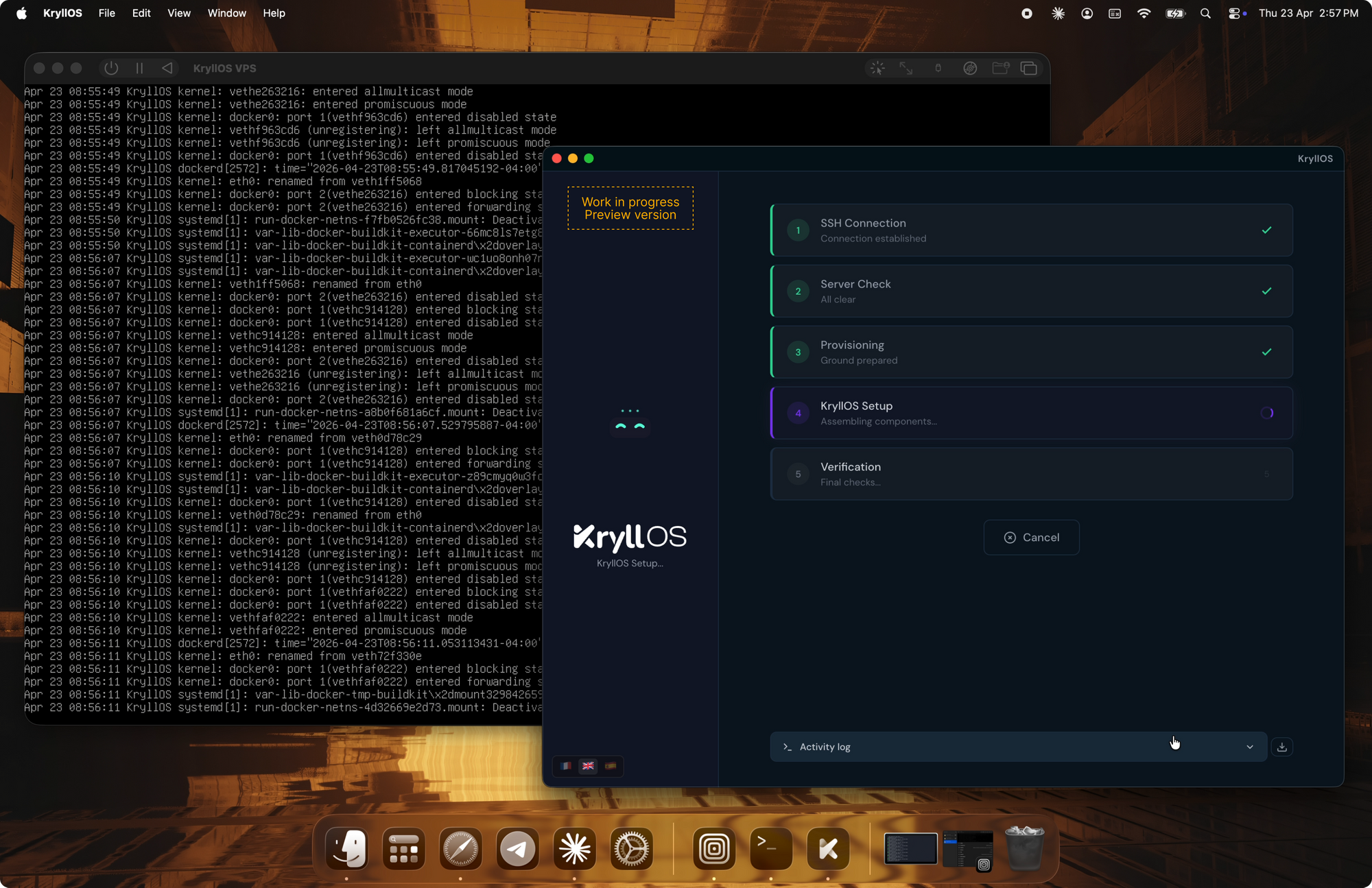
In under five minutes, KryllOS is up and running. The application is directly accessible on your local machine, already connected to your VPS.
What remains in your hands after installation
The installation ends, and you find yourself with far more than a simple configured instance. Behind the scenes, the wizard has been running two parallel workstreams.
On one side, on your VPS: KryllOS is deployed, the server is hardened, the environment is isolated, and your API keys will never leave that machine.
On the other side, on your computer: the KryllOS application has been configured locally. This becomes your control station. It establishes a secure SSH tunnel to your VPS and gives you access to the full KryllOS interface from a native app, without ever going through a browser or a third-party service. The VPS runs the engine. The application on your machine holds the wheel.
The old crypto adage "not your keys, not your coins" extends here to automated trading. Your strategies run on your machine, for you. And your only point of contact with all of this is an interface built to be used, not feared.