If you run backtest after backtest, 0.6.2 is going to save you time: they now run 50% faster on average. Along the way, we made order simulation more accurate, gave the Memory screen a major upgrade, and added more to the way you launch your strategies.
Backtests 50% faster on average
This is the big one in this release. We sped up the engine again: on average, a backtest runs 50% faster than in 0.6.1. The gain varies with the strategy, the pair and the period you test. There's nothing to configure, just update.
This gain comes on top of the ones in the 0.5.29 update, and it adds up as soon as you chain tests. A batch launched in the Multi-Backtest app, or several backtests running in parallel, finishes that much sooner.
More faithful simulated orders in your backtests
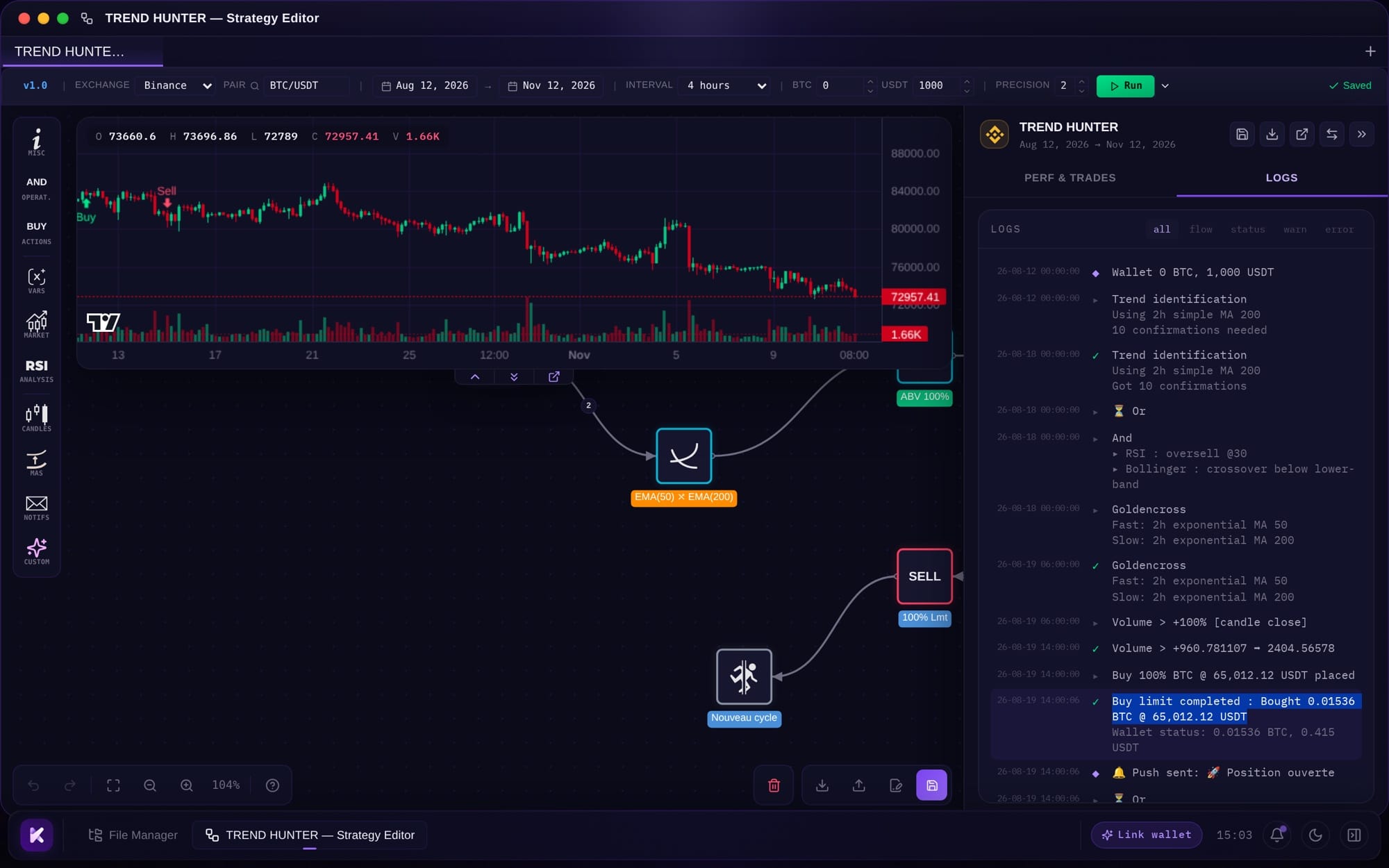
Faster, and more accurate too. We also reworked how the engine simulates your orders, so a backtest's result sticks closer to what your strategy would do on the market:
- a limit order fills at its price, with more realistic volumes;
- in spot, a partial fill counts in your results;
- the failover of a Buy or Sell block, the exit taken when the order expires, now only triggers if nothing was executed, just like on the original Kryll. A half-filled order carries on through the normal exit.
A much better Memory screen in Settings
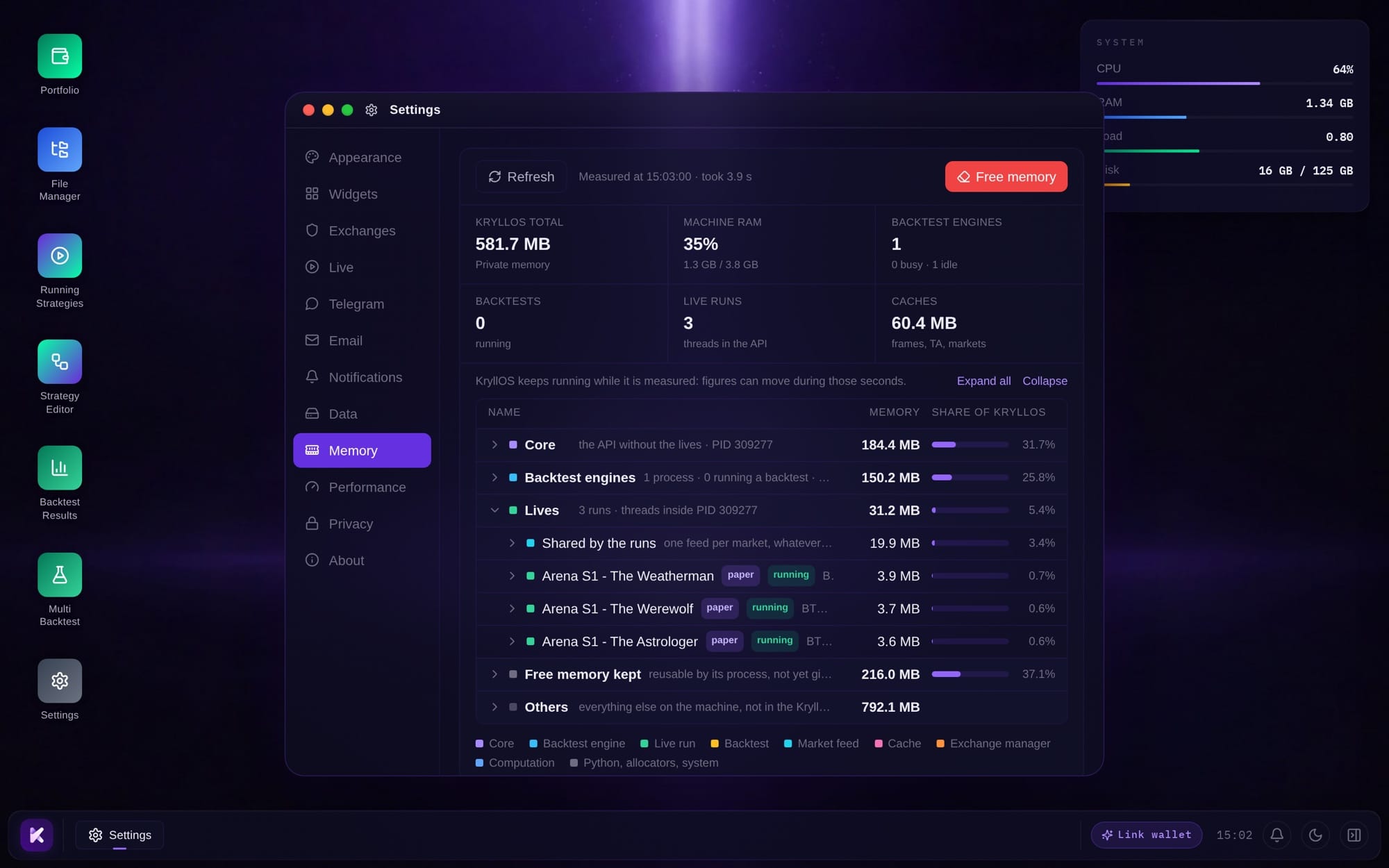
To stay fast, KryllOS keeps candles and indicators in memory between backtests. So RAM climbs over the course of a session, especially when several engines run in parallel. The Memory screen in Settings is there to keep that under control, and we completely redesigned it for 0.6.2.
At the top, six figures sum things up: the total memory used by KryllOS, the share of RAM in use on your machine, the backtest engines (busy or idle), running backtests, live strategies, and the candle, indicator and market caches.
Below that, the breakdown unfolds like a tree: the KryllOS core, each backtest engine, live strategies, free memory held in reserve and the rest of the machine, each with its share of the total. Refresh runs the measurement again, and Free memory frees up whatever it can. From the desktop, one click on the RAM line of the System widget takes you straight there.
Launch, relaunch and stop your strategies more easily
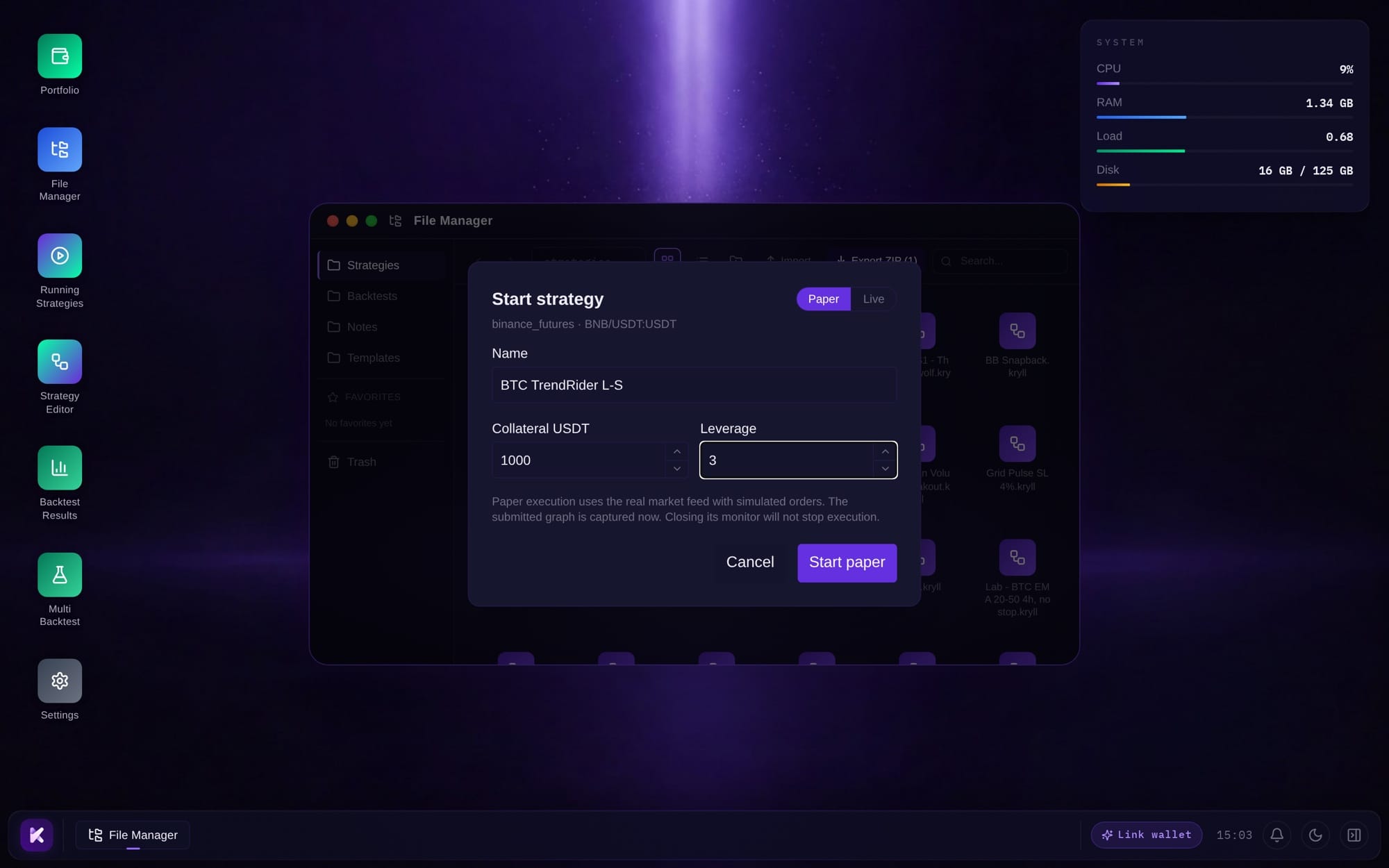
The launch dialog has grown. You give your launched strategy a name, and set the mode and leverage in the same place, before you click. When you launch three variants of the same strategy side by side, that name is all you need to tell them apart in Running Strategies.
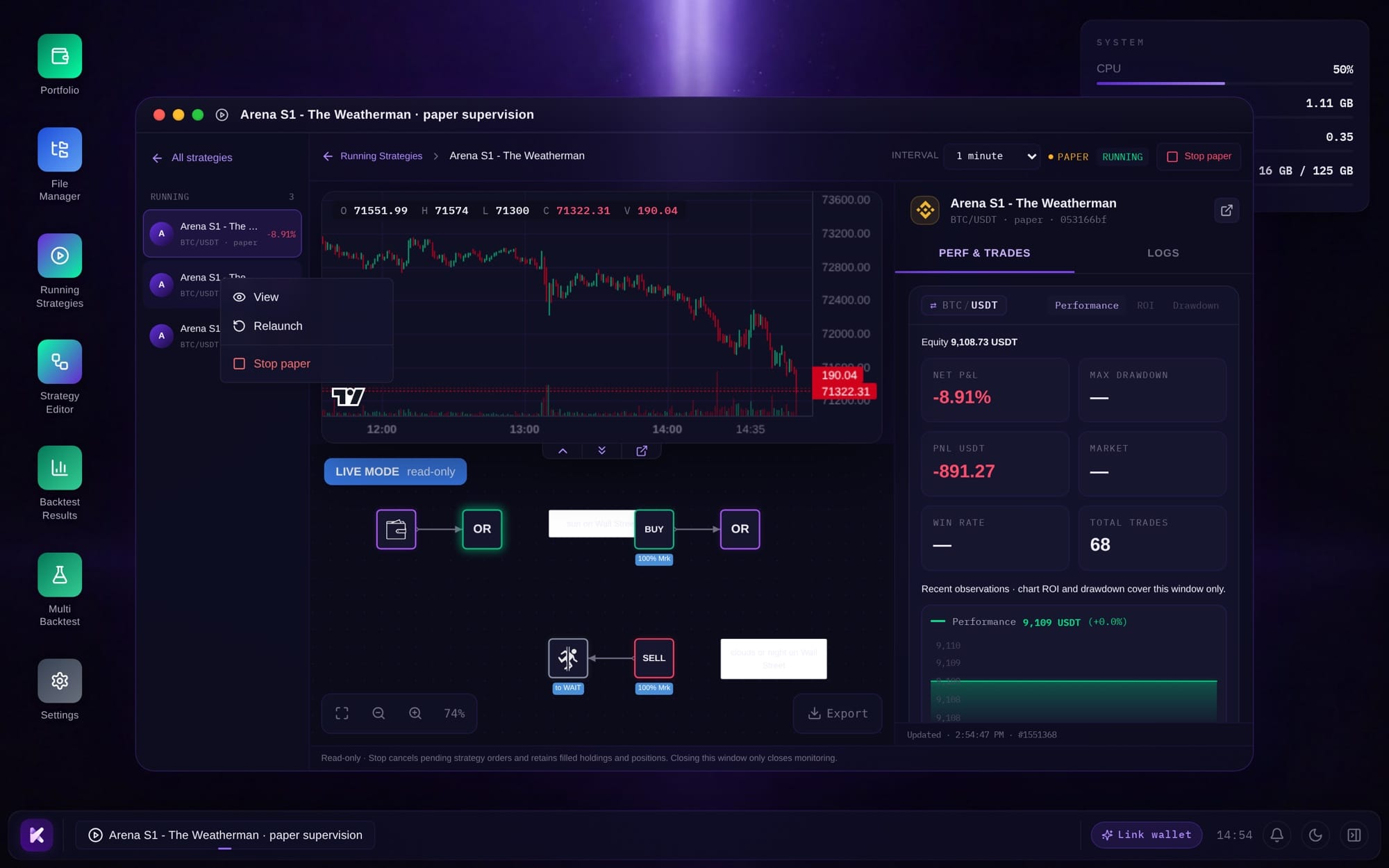
You can now relaunch a strategy without going back through the editor, and open it from its card or with a right-click in the Running Strategies sidebar. Each strategy also shows its own indicators on its chart, and futures logs spell out Long, Short, leverage and margin in full.
One last change for futures Paper Trading. When you stop a strategy that has an open position, KryllOS asks whether you want to close it or keep it.
Install KryllOS on an Ubuntu or Debian server without a root user
Some hosting providers don't give you a root user when they deliver your server. You get an admin user instead, often called ubuntu or debian depending on the installed image. Until now, the KryllOS installer asked for the root password, as described in our installation guide, so those servers were left out. 0.6.2 accepts that admin user.
Another common case: your provider makes you set a new password the first time you log in. The installer asks you for it directly, you change it without leaving the window, and the installation carries on.
You can now read the KryllOS license in the app
KryllOS now has its license: PolyForm Shield. It's what's called a "source available" license: the code is meant to be read by everyone, without being open source in the strict sense. It lets you read the code, audit it, check that your API keys never leave your server, and modify it for your own use. It forbids one thing: taking this code to build a competing product or service, or building it into a commercial product without an agreement with us. The full text is in the app, in the gear menu at the top right.
Also in 0.6.2
- Open a File Manager strategy in a new tab
- Get your indicators back much faster when you switch tabs, and confirm their settings with an Apply button
- Export live logs as readable text, and select and copy lines from the backtest log
- Arrange your desktop icons with a long press
- Lighter visual effects on the desktop and in windows
- Fixed: copying or importing a strategy changed the original
- Fixed: a Long line showed up on a spot strategy, the equity curve colors were wrong, a single order placed several markers on the chart, and window resize handles stayed hidden
If you run into odd behavior in a backtest, send it to us with "Report a problem", in the same gear menu.